
 Home — Continuous Improvement Tools
Process Improvement Tools.
Standard Work.
Work Instructions.
Flow Chart templates.
Swim Lane Cross Functional Flowchart.
Value Stream Mapping.
Lean tools.
Time Study templates.
DMAIC tools.
Quality Improvement tools.
House of Quality QFD.
FMEA Risk Reduction.
Root Cause Analysis tools.
Problem Solving tools.
OEE.
Preventive Maintenance.
Skip to main content


















Installation and Setup
Installation - Each User. Installation - Multi-user. Language Translations. Personalize Your Templates.Systems2win Training.
Quick Start Initial Training. New User Training. Training Matrix. Systems2win Leadership. Training Classes.Lean Training
Lean Training and Coaching. Lean Principles. Muda 8 Wastes. Goal - Lean Flow. Roadmap - Lean Journey. Value Stream Mapping. Standard Work. Hansei Lean Thinking. Lean Dictionary. Online Lean Training. Lean Leadership.Microsoft Office Training
Excel Training. Excel Drawings (without Visio). Excel Charts. Word Training. PDF Training. Document Storage and Naming.Support
Support.Excel Charts
A powerful way to extend the usefulness of your Excel templates
Add your own charts
One of the huge benefits of being written in native Microsoft Excel is that you can add any type of Excel chart anywhere in any Systems2win Excel template
Your processes
AND your tools:
better, faster, cheaper
Types of Excel chart templates
The most popular types of charts for Lean Six Sigma are:
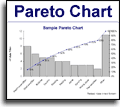
Pareto Chart
Purpose: to identify the 20% of problems causing 80% of your headaches so that you can focus your team's attention to solving the few problems that will yield the greatest benefit.
The Pareto Chart requires some sophisticated programming, and is therefore not offered as a standard Excel chart.
How to create an Excel Pareto Chart
You can easily generate Pareto Diagrams using either your Systems2win Pareto Chart template (Pareto.xlsx)
or Trend Charts Scorecard template (Trends.xlsx)
Special features:
- Copy a picture of your Pareto Diagram that can then be pasted to ANY other document
(e.g. PowerPoint, Word, etc.) - Use Insert Sheet to copy a Pareto Chart to ANY other Excel workbook
in a way that allows you to optionally link your data so that your Pareto Chart automatically changes instantly every time that your data changes
Histogram Chart
Purpose: to graphically illustrate the probability distribution of something happening.
And to determine whether your data fits a normal distribution curve.
And to evaluate whether your process is capable of meeting your specifications.
How to create an Excel Histogram Chart
Usually a histogram uses continuous, rather than discrete data.
For a true histogram, use your Histogram template (Histogram.xlsx)
If your data is discrete, rather than continuous...
then here is a link to Microsoft's training for how to create a Histogram using the free Data Analysis Toolpak.
To make your Toolpak histogram look like our example:
- Get rid of the Legend (right-click the Legend > Clear)
- Change the background color to white
(right-click the Plot Area > Format Plot Area > select the color white) - Get rid of the gaps between bars
(right-click a bar > Format Data Series > Options tab > Gap Width = 0)
Run Chart trend analysis
also known as Excel Line Chart
Purpose: to analyze data over time.
You're looking for trends and patterns over time in the variability of a process.
Things to look for include:
- Long "runs" of data points above or below the standard, average, or median
- The total number of such runs in the data set
- Extended trends — up or down
Your Systems2win templates come with 3 types of run chart templates:
- Your Run Chart template (RunChart.xlsx) is the easiest way to create a quick line chart
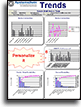
- Your Trend Charts Scorecard template (Trends.xlsx) is the best choice when you want a clean system to organize, archive, and analyze your data in ways far more useful than one little run chart that only has a few days of historical data.
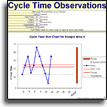 Your Cycle Time Observations template
(ObserveCycles.xlsx) has special features to make it as easy as possible to observe process cycle times
Your Cycle Time Observations template
(ObserveCycles.xlsx) has special features to make it as easy as possible to observe process cycle times
How to create an Excel Run Chart
It is far easier to use one of your Systems2win templates (above),
or you can create a rudimentary one on your own.
How?
- Create your data
similar to our sample data - Select your data, then Insert > Chart > Line Chart
You can optionally format your Chart Area, Plot Area, each Axis, each Data Series, and other Chart Options by right-clicking them.
Control Charts
aka Statistical Process Control SPC Charts, Shewhart charts, quality control charts
Purpose: To determine whether a process is in a stable state of control.
Statistical Process Control Charts perform the same purpose as a simple run chart, but with additional lines for upper and lower control limits.
Control Charts require sophisticated programming, and are therefore not included within standard Microsoft Excel.
How to create an Excel Control Chart
Use your Systems2win Control Chart template (ControlChart.xlsx)
Special features:
- Very easy to continue to enter or import unlimited data while your chart displays only the most recent data for your specified Number of Rolling Periods.
- User-defined threshold to switch between flat or wavy control lines
- Update Chart button makes things extremely easy. Learn more
- Use Copy Chart to copy a picture that can then be pasted to ANY other document
PowerPoint, Word, e-mail, etc.
XY Scatter Plot Diagram
Purpose: to analyze the relationship between two sets of data
For example, the relationship between the inputs to a process and the resulting outputs from that process.
A scatter chart is similar to a line chart, but without connecting lines between the data.
And they have different purposes.
A line chart shows trends over time.
A scatter plot shows correlations between two (or more) things.
One common use of a scatter diagram is the Stratification Diagram to make patterns visible when data is coming from a wide variety of sources.
Excel Stratification Chart
How to create an Excel Scatter Chart
Use your Scatter Plot template (ScatterPlot.xlsx)
Or... to create a less capable one from scratch...
- Create your data similar to our sample data
- Select the data for your first data series, then Insert > Scatter
in our example, the 2 columns of data for Machine 1
- If you have multiple sets of data, then Add Series to define each of your additional sets of data
You can optionally format your Chart Area, Plot Area, each Axis, each Data Series, and other Chart Options by right-clicking them.
Other types of Excel charts
Select Insert > Charts and look around. Experiment.
Play with the many types of charts that comes as a standard feature of Microsoft Excel.
There are also dozens of free add-ins for additional types of charts — including:
- Data Analysis Toolpak
- Box and Whisker Plot
- Many, many more
More training
for how to
create and use Excel Charts
Excellent training is available as part of Excel's standard Help.
CTRL+F1
And a quick Internet search will find hundreds of excellent tutorials and videos for how to create any type of Excel chart.
Familiar Microsoft Excel
Use everything you know about familiar Word and Excel
More Tips for using
Excel Chart Templates
Link Data — to instantly update as your data changes
One of the most common complaints from users of MiniTab, QI Macros, and Sigma XL is that whenever data changes, you must manually update the chart.
Your Systems2win charts have special features to allow your charts to instantly change as your data changes.
Video: How to use
special features to
Insert Sheet, and Link Data
Chart Direction Arrow
Use a Chart Direction Arrow to indicate the desired direction of performance.
You can copy Chart Direction Arrows from the palette of standard Systems2win shapes.
Systems2win menu > Copy Shapes
You can set your charts to include hidden data — or not.
Right-click the chart > Select Data > Hidden and Empty Cells > Show Data in Hidden Rows and Columns
Selecting what you want within a chart
You can optionally format your Chart Area, Plot Area, each Axis, each Data Series, and other Chart Options
by right-clicking them.
It is not uncommon to need to experiment with right-clicking in several places before finding the menu you're looking for.
It is sometimes easier to use the Chart tools menu, which appears above your Ribbon menu when you click
anywhere on a chart.
To select the entire chart, hold down the CTRL key as you left-click anywhere on the chart.
Aligning chart bars with row heights
When using the Gantt Chart or Standard Work Combination Sheet...
When you copy, delete, move, hide, or unhide rows, you might need to manually re-align your chart to keep the chart bars perfectly aligned with the correct rows.
Step 1) Display Chart Labels
Use the dropdown list for 'Chart Labels' to toggle between the options for the vertical axis labels that will appear on the chart.
In older versions, select the radio button: 'With Labels'.
The newest version has 3 choices:
0 = No chart labels
1 = Just the number
2 = Full chart labels
You may need to manually re-size the chart Plot Area
When toggling between options for 'Chart Labels', it will usually automatically resize the Plot Area to make room for large, small, or no chart labels.
Due to a Microsoft bug, you may need to manually re-size the width of the Plot Area.
Click on a blank area inside the body of the chart,
so that the Plot Area of the chart is selected
(as shown)
so that the Plot Area of the chart is selected
(as shown)
Then to resize the Plot Area...
drag one of handles
(in the middle or corners)
drag one of handles
(in the middle or corners)
Step 2) Re-align Chart Bars with Rows
Then (with Chart Labels displayed)...
select the entire chart (including its background area), and drag the top or bottom center handles to increase or decrease the height of the entire chart until the chart bars precisely align with the correct rows.
In the Gantt chart...
Notice that the first line is for the Total Project,the second line is blank, the third line of the chart aligns with the first task, the second-to-the-bottom line of the chart aligns with the last task, and the bottom line of the chart aligns with the gold row.
In the Standard Work chart...
Notice that the first line of the chart is blank (except for the label for the process Title).
The second line aligns with the first task, and the bottom line aligns with the last task.
Machine Stop
The red dot indicates when the machine stops if the machine is still running when the next cycle begins. In order for the Machine Stop to properly align in the chart, all unused rows must remain hidden.
Word Wrap
For your chart to align correctly, row heights must be consistent.
The default row height allows 2 lines of text to be displayed (using word wrap).
Standard Work Chart:
Notice that you can word wrap beyond 2 lines, but only 2 will show when you click the button to create a Chart sheet.
Gantt Chart:
If any row has more text, you might want to manually resize the row height on your Chart sheet, so that it only displays the first 2 rows of text (so that the row height is the same as all other rows).
Rather than putting more than 2 lines of text in a row, you might instead use any (or all) of the following options for long text:
- Refer users to see the (large) Comments textbox at the bottom of the document
- Use Cell Comments
- Use Link Icons to link to related documents
Step 3) Hide Chart Labels
In the dropdown list for 'Chart Labels', select 0 or FALSE.
You may need to manually re-size chart width (as described above).
Copy Chart
Your Systems2win menu includes a special utility to 'Copy Chart' that copies a picture of your chart to the clipboard, where it can then be pasted to any other document.
(which might be Excel, Word, PowerPoint, etc.)
How?
- Select the chart you want to copy
(hold the CTRL key as you left-click to select the entire chart) - In the Systems2win menu, click 'Copy Chart'
- Paste your chart anywhere
Tip: You can use your 'Copy Chart' feature to copy ANY chart from ANY workbook.
Even workbooks that are not created from a Systems2win template
No, we're not going to
buy you any tools...
but we don't want any excuses when those deadlines are due
Own Yours Now
If your organization has
not yet provided a license,
own yours now

