
 Home — Continuous Improvement Tools
Process Improvement Tools.
Standard Work.
Work Instructions.
Flow Chart templates.
Swim Lane Cross Functional Flowchart.
Value Stream Mapping.
Lean tools.
Yamazumi Chart template.
Time Study templates.
DMAIC tools.
Quality Improvement tools.
House of Quality QFD.
FMEA Risk Reduction.
Root Cause Analysis tools.
Problem Solving tools.
OEE.
Preventive Maintenance.
Skip to main content














Installation and Setup
Installation - Each User. Installation - Multi-user. Language Translations. Personalize Your Templates.Systems2win Training.
Quick Start Initial Training. New User Training. Training Matrix. Systems2win Leadership. Training Classes.Lean Training
Lean Training and Coaching. Lean Principles. Muda 8 Wastes. Goal - Lean Flow. Roadmap - Lean Journey. Value Stream Mapping. Standard Work. Hansei Lean Thinking. Lean Dictionary. Online Lean Training. Lean Leadership.Microsoft Office Training
Excel Training. Excel Drawings (without Visio). Excel Charts. Word Training. PDF Training. Document Storage and Naming.Support
Support.Upgrade
your Systems2win Excel add-in and templates for continuous process improvement
You can either place your order using this form,
or just contact us for personalized help and attention
Annual Maintenance or Upgrade
VIP Customers
If you own a license for more than 4 seats, then either send us your PO with a credit card for the amount specified in the email that you received.
If you own 4 seats or less, then select one of the following options.
Discounted Annual Maintenance
Discounted price for customers that renew Annual Maintenance each year.
Choose this option if less than 13 months since last purchase or upgrade.
Renew Now
sku ANNUAL-M
$185/seat
Upgrade
Use this UPGRADE sku if it has been more than 14 months since your last purchase or upgrade
How to determine how long it has been since your last purchase or upgrade. (How?)
Upgrade Now
sku UPGRADE
$255 per seat
Get the rest of the templates
If you did not originally purchase all 150+ templates,
then you will own them all when you upgrade using sku UPGRADE
Options to consider when you upgrade
Language Translations
Language Translations are now
free when you own 2 seats or more
Just use the Comment in your order to specify the languages you want:
Spanish, Portuguese, French, German, Chinese, or just English
Easily switch between
languages
Empower More Users
Now, (when you upgrade), is the time to add more seats to empower every one of your team members to continuously improve every process.
Ask us how you might get a free upgrade for the seats that you already own — when you empower more users to improve their own processes.
Empower More Users
Add Seats
$375 per seat -
sku 2PLUS-ALL
Training
Providing your leaders with easy-to-use, consistent, standardized tools is a good start.
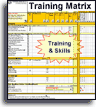
Have you also been using your Training Matrix to track who has demonstrated competence using those process improvement tools and methods that are relevant for their responsibilities?
And in addition to all of the free training web pages and videos, have you considered hosting some targeted Training Classes to quickly get your people competent using those tools that might be most useful for your upcoming priorities for continuous improvement?
Every lean tool needs
a corresponding
Lean Coaching System
Custom Configuration
If you already own Personalization
then every time that you upgrade, it is a free service to automatically find and transfer YOUR personalizations.
If you don't yet own Personalization, then now (when you upgrade) is the time to request guidance to custom configure your templates your way.
Your personalizations
get found and transferred
each time you upgrade
Schedule a conference to discuss your upgrade options
Upgrade
Frequently Asked Questions
What's new?
Do we get free updates throughout the year?
Excel Add-in — yes. You can update your Add-in for free at any time.
The Systems2win Excel Add-in contains most of the Visual Basic code that performs calculations and button actions.
Templates — mostly yes.
Any time in the first 10 months of your Annual Maintenance cycle, you can request us to send you those templates that have been recently released or improved.
(When you're within 2 months of your Annual Maintenance renewal date, you should just renew.)
Most of the new templates will work without the need to install the free update for the Excel add-in. There might be a few new features in a few of those templates that might compel some users to want to also install the update for the add-in.
And some features/templates might only be available when you renew Annual Maintenance.
Can we put this on a purchase order?
Yes. As an existing customer, your credit is already pre-approved for purchases over $500.
(Unless you have been specifically notified otherwise, due to prior late payment.)
For smaller purchases, it's usually easiest to just use a credit card.
What is the Personalization Upgrade Transfer utility — and how does it work?
If you own the (optional) feature for Personalization Synchronization,
then when you upgrade your templates — the Systems2win Personalization Upgrade Utility searches your legacy templates to find the most common personalizations, and automatically transfers them to your new updated templates.
After you place your upgrade order, you will receive an email that you can forward to your IT Department — containing very simple instructions for how to send us your legacy portal.
If you haven't made many changes to your templates, simply reply to the email saying "not needed".
How can we get a free or discounted upgrade?
Option 1) Refer a new customer, and get a discount coupon to apply to the upgrade of your own templates.
Option 2) Refer a client (assuming you are a consulting firm that owns your own Systems2win templates), and get a free upgrade for your own templates — as part of our Affiliate Program.
How can we add more seats?
It's easiest to just contact us.
Can different users own different product configurations?
(for example: one group of users has a language translation and another group doesn't)
If you own the optional sync capability, then all users within your Licensee group must own the same bundles of templates.
You can, however, choose to license smaller Licensee groups — each with their own Licensee name, and (optionally) their own portal of shared master templates.
Can we upgrade just a few of the seats that we own?
If your own the sync capability, then once one seat is upgraded, all of the other licensees get synced with the same upgraded templates. So every user in a Licensee group must always own the same product as every other licensed user in that group.
If you choose to forfeit some of the seats that you originally purchased, then upon proof of uninstall, you can do a one-time downgrade to a smaller number of seats. But choose your desired number of seats wisely, because if you ever want to add more seats, you will need to purchase them at the full retail price — rather than the discounted upgrade price.
Can we share documents between users with lower and higher versions?
Higher versions support documents created using lower version templates.
Lower versions are not always able to use higher version documents.
What are the terms of the License Agreement?
How is data migrated from an old working document to a new template?
Can we renew early?
Yes.
You can contact us to place a special order for the number of months since your last Purchase Date
(and your next Annual Maintenance will be due 1 year from the new Purchase Date)
If we receive your order for discounted Annual Maintenance a month early, then…
a. unless you specifically instruct us otherwise, we will deliver as soon as we receive your order
(and your next Annual Maintenance will be due 1 year from the new Purchase Date)
b. upon your request, we can instead schedule a reminder to deliver on the first of the month
(so that your Annual Maintenance cycle remains in the same month)
I have a question that's not answered here.
Just call or write, and we'll get your question answered for you.
Upgrade policies, pricing, and packaging are subject to change without notice

Whenever you hire a new person, be sure to use your Training Matrix template to ensure that every team member gets trained to use those tools that will help most with their job responsibilities
New User Training
Your Systems2win templates come with free New User Training
to quickly learn features that are common to all 150+ templates


150+ Templates
Try Some
Own Them All
Download Trial Now
Get a dozen trial templates,
and another dozen free gifts
@@@ Better conversion rate
if call to action is for a specific tool, and shows the image
Try It
Try this template
along with a couple dozen more
process improvement tools
Calls to Action Botttom

Related Topics
Related Topics section WITHOUT TESTIMONIALS
Replace this paragraph with menu library item for topics related to this video
Training and Coaching
Consider Training and Coaching to support your teams to succeed
Training to get you started.
Tools you won't outgrow.
Schedule a Conference
Schedule a conference
to discuss your challenges
with an experienced lean advisor